Why 90% of Popups Are Trash – And How to Get Into the Top 10%
Time to read:
14 min
|
Publication date:
April 08, 2026
A popup is not just a "discount window." It is a controlled touchpoint within the funnel that is triggered by an event, time, or user behavior – and directly impacts traffic economics.
According to e-commerce benchmark studies by Drip and OptiMonk, the industry average conversion rate for popups is 4.6%. However, the best-performing campaigns achieve up to a 20% CTR. The difference between these numbers is not a matter of luck. It is the result of correct timing, precise copywriting, segmentation, and rigorous A/B testing.
This article delivers a systematic theory of popups – covering everything from their place in the funnel to the specific practices that separate an annoying widget from a growth channel.
1. The Popup’s Place in the Funnel: Redistributing Attention, Not Attracting It
A popup does not attract traffic. It works with the attention you have already captured – and redistributes it in the right direction.
Functionally, a popup can:
convert cold traffic into a lead
speed up the purchasing decision
increase average order value (AOV)
recover abandoning users
segment your database
collect behavioral data
This is exactly why a popup is not a design element. It is a conversion management tool. If you treat it like a "discount widget," it will burn your brand. If you integrate it into your strategy – it becomes a traffic multiplier.
A clear example: if a website gets 50,000 to 100,000 unique users per month, increasing the conversion rate by even 1–2% radically impacts revenue. One properly configured popup is capable of doubling the conversion rate for a specific segment.
2. The Golden Principle: A Popup Is a Reaction to Behavior, Not an Attack on the User
The most common mistake is showing a popup immediately after the page loads. According to UX research, showing a popup in the first 5 seconds of a visit can increase the bounce rate by 5 times. This is a direct hit to your conversion rate.
A popup is only effective when it is logically integrated into the user's behavioral scenario. This is the principle of the predictive trigger: interest first, offer second.
User readiness signals:
time on page (2+ minutes – the user is engaged)
scroll depth (reaching 50% of the page)
viewing a second page on the site
adding an item to the cart
a return visit
exit intent
completing an action: watching a video, finishing a quiz
One prime example of this approach is the system of predictive triggers based on behavioral scoring. The user accumulates "points" through their actions: a scroll is worth one point, adding an item to the cart is worth many points, and a return visit adds even more. The popup only appears when the sum of these signals reaches a specific threshold. Just like a good bartender – they don't offer you another drink until you have finished your first.
3. Timing and Frequency: How Not to Annoy
A popup is an interruption. It must be carefully dosed.
Delay Before Showing
The optimal range is 10–50 seconds from the moment a user enters the page. To be even more precise: find the average engagement time per session in Google Analytics 4 (GA4) and display the popup at 50% of that time. This way, you catch engaged users before they leave.
The second powerful trigger is loading a second page. A user who moves to a second page demonstrates genuine interest. Industry data shows that this specific delay generates a 28.98% conversion rate – one of the best results among all display strategies.
Frequency Caps
If a user closes a popup – do not show it again during the same session. Do not repeat the same offer multiple times within a 24-hour period. Always exclude existing buyers from discount-based incentive campaigns.
An important caveat: aggressive frequency might boost conversions in the short term, but it drags down the average order value and profit margins. In one test, increasing the display frequency yielded a +20% bump in initial conversions, but the AOV dropped by 13%.
4. Popup Typology: Which Trigger for Which Task
Entry Popups (On Entrance)
The most annoying type. These should only be used when you have an incredibly strong offer or on highly targeted landing pages. They require a clear close button – those who are not interested must be able to exit easily.
Entry popup shown when a visitor lands on the site
Time-Based
These appear after a set delay. They work best on content pages, landing pages, and blogs – places where the user spends time reading. After a certain period of engagement, the user is ready for the next step.
Scroll-Triggered
These activate when a user reaches 50% or more of the page. The signal is clear: the user is engaged and actively digesting the content. This is the perfect moment to offer a related resource or a subscription.
Exit-Intent
These trigger when the cursor moves toward the top edge of the browser window. This is your last chance to capture a lead or win the user back. They are highly effective for cart recovery, email capture, and final discount offers.
Exit-intent popup shown when a visitor tries to leave
Event-Based
The "smartest" type. It triggers after a specific action – such as adding an item to the cart, completing a quiz, watching a video, or reaching a cart value threshold. Because it is embedded directly into the user’s behavioral logic, it feels the least intrusive.
Targeted (Personalized)
These are based on purchase history, user segment, traffic source, geography, or device type. Personalized campaigns targeted by purchase history or cart value increase conversion rates by 163% compared to generic, one-size-fits-all popups.
5. Design: Function Over Fashion
Popup design is about attention management, not showing off your brand style. Clutter kills conversions faster than a lack of discounts.
Positioning
Center and bottom-center placements usually perform best for email capture. Slide-in and corner formats are less intrusive, making them highly effective for mid-funnel tasks like recommendations, upselling, and reminders.
Slide-in and corner popup
Full-screen formats are highly effective at the top of the funnel (top-of-funnel), but they require a delay and are completely unsuitable for the cart page. According to e-commerce checkout usability standards by the Baymard Institute, using a full-screen popup on the cart page interrupts the checkout flow and reduces conversions by 18%.
The positioning data is clear: according to OptiMonk’s global benchmarks, a popup in the bottom right corner (slide-in format) converted at a mere 1.56% – which is 11.32% worse than a classic center placement.
Visual Hierarchy
One goal. One primary CTA. A minimal number of fields. A high-contrast button. A clean structure. Images are only appropriate when they directly support the offer – not as mere decoration. In recent mobile-first UX tests, large decorative images on mobile devices cluttered the screen and reduced revenue per visitor (RPV) by 40%.
6. Copywriting: Specifics Beat Emotions
In 68% of e-commerce campaign tests, quantitative and clear messaging outperformed emotional hooks. Clearly stating the savings in dollars (e.g., "Save $150 on your first order") increased downstream revenue by up to 15% – even when the CTR remained identical.
Emotional approach: "We know you're going to love this."
Specific approach: "15% off your first order – today only."
Numbers reduce cognitive load and create a sense of real, tangible benefit. Short, numeric promo codes (SALE10, WELCOME15) are perceived as a specific reward – and increase engagement by up to 20%.
Popup with a numeric promo code
Market data confirms this across different audiences, highlighting the impact of regional localization and cross-cultural consumer psychology: in the US, numeric headlines increased engagement by 18%, in France – by 11%, and in Germany – by 6–16%. In contrast, conversational copy actually reduced revenue by 26% in several cases.
Exit-intent popups are especially sensitive to clarity: when a user is about to leave, they will not read complex copy. A direct, numeric offer received 27% more clicks than playful, empathetic text.
The principle: clarity beats creativity.
7. Micro-Commits and Multi-Step Logic
Multi-step popups convert better than single-step ones. This seems counterintuitive: more steps should mean more friction. However, this strategy leverages a classic psychological phenomenon known as the Foot-in-the-Door technique (FITT), where the principle of the micro-commit works differently.
When the first screen contains a simple question, a "yes/no" button, or interactive, gamified elements (such as a scratch-off or spin-the-wheel), the user makes a micro-commitment. After this, psychological resistance to the next action drops due to the classic commitment and consistency principle. The results: interaction increases by 8 to 9 times, and subscription rates double while the bounce rate remains stable.
Multi-step scenarios additionally provide an opportunity to segment your audience: on the second step, you can collect preferences, customer types, or target budget ranges – allowing you to personalize the offer right inside a single popup.
8. Mobile Specifics
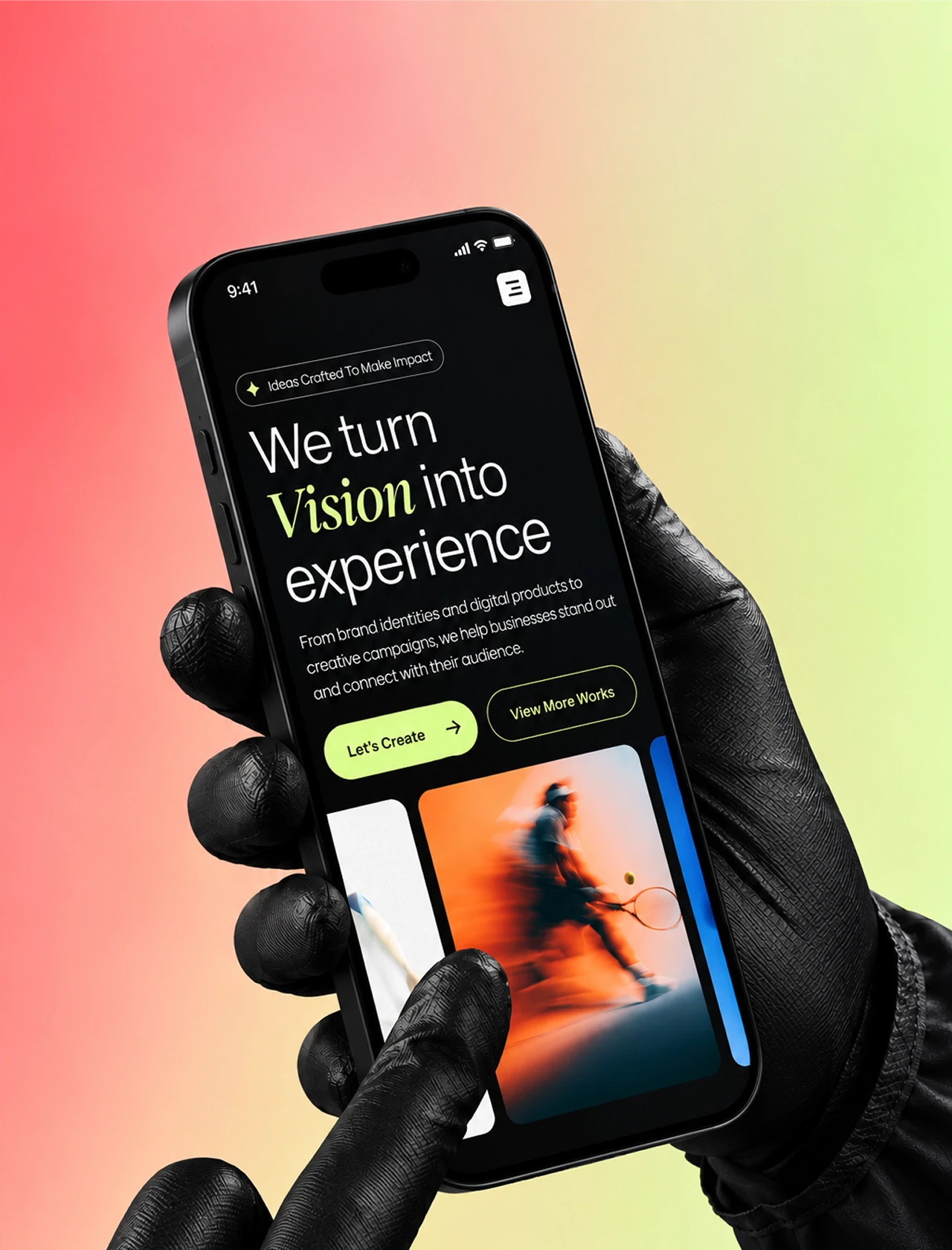
Mobile traffic accounts for 50%+ of e-commerce volume, and mobile popups generate 42% more engagement than desktop ones – but only if they are fully optimized for small screens.
Key principles for mobile popups:
less text, larger button
a single form field (phone number and extra data should go on subsequent steps)
remove or hide large images
avoid videos and GIFs
do not cover the entire screen without providing an easy, obvious way to close it
Practice proves it: removing non-essential fields increased subscription rates by 2 to 3 times without changing the bounce rate. Large images on mobile devices reduced revenue per visitor (RPV) by 40% in several high-traffic tests.
Crucial note: Google penalizes websites for popups that block content on mobile devices immediately after page load. Display the popup only after user interaction and always provide a prominent close button.
9. Segmentation by Funnel Stage
Not every visitor should see the same popup. The page the user is currently browsing signals their level of intent – and your popup must reflect this.
Homepage (First Visit)
Intent is minimal. The goal is email capture and brand introduction. The offer: a 10–15% discount or free shipping. Timing: 10–50 seconds delay or upon loading the second page.
Product Page
The user is in the consideration phase. Show: bestsellers from the same category, free shipping thresholds, or relevant cross-sell/upsell recommendations. URL targeting allows you to show exactly what is relevant to the specific product category.
Cart
The user is highly motivated and close to purchasing. Deploy exit-intent popups for cart recovery, personalized product recommendations, or time-sensitive incentives. One retailer used this high-intent targeting strategy to achieve a 5.7% CTR – significantly above the industry average.
Return Visit
The user is already familiar with your brand. The goal here is to convert them into a first-time buyer or increase purchase frequency. Offer loyalty program enrollment, early access to sales, or personalized recommendations based on past browsing history. Avoid blanket "new customer discounts" here, as they erode profit margins and undermine Customer Lifetime Value (LTV).
10. A/B Testing: Discipline Over Creativity
Testing popups is not about running random experiments for fun. It is a systematic tool for iterative conversion optimization.
Here is what you should test first (ordered by potential impact on revenue):
Timing: 10–50 second delay vs. second-page load (can lead to a 20–45% variance in bounce rates)
Design/Format: Full-screen vs. centered overlay vs. corner slide-in (yields a 40–150% variance in CTR)
Structure: Single-step vs. multi-step with a micro-commitment (can double or triple registration rates)
Copywriting: Numeric discount vs. FOMO vs. benefit-focused messaging (10–30% variance in engagement)
The Offer: Free gift with purchase vs. percentage discount (+59% bump in email capture for tangible rewards)
CTA: Button color, copy, and size (5–20% difference in click rates)
The rules of rigorous A/B testing: change only one variable at a time, run the test until you reach statistical significance (a minimum of 500 conversions per variant), and track downstream revenue, not just clicks. Without a proper control group, it is impossible to isolate the popup's actual incremental lift from random traffic spikes.
11. Metrics: What You Actually Need to Track
Evaluating a popup solely by its CTR is a rookie mistake. A popup can easily boost newsletter sign-ups while simultaneously dragging down your average order value (AOV). This is a strategic flaw that CTR alone will never reveal.
Core Metrics:
Displays (Impressions): How many times the popup was rendered.
Click-Through Rate (CTR): The industry average sits around 4%; top-tier campaigns hit 8–20%.
Conversion Rate (CR): The percentage of users who completed the target action.
Emails/Leads Captured: The raw volume and overall signup rate.
Bounce Rate: A sharp spike in bounce rate immediately after launch indicates a critical UX issue.
Attributed Revenue: Direct sales generated from popup interactions.
Revenue Per Visitor (RPV): The total revenue generated divided by the number of visitors who interacted with the popup (the ultimate metric for measuring incremental lift).
Average Order Value (AOV): Helps determine if the popup is attracting high-value buyers or merely subsidizing discount-seeking shoppers.
Pages Per Session: Tracks whether the popup deepens website exploration or interrupts it.
Add-to-Cart Rate Per Visitor: Measures if the popup successfully nudges users down the funnel.
Ultimately, evaluate success by how the popup impacts your overall unit economics, not by isolated engagement metrics.
12. Offer Economics: Protecting Your Margins
Unconditional incentives – such as sitewide discounts with no minimum spend or free gifts on any order – attract discount-dependent buyers and cause severe margin erosion.
Data shows that offering instant, threshold-free coupon popups increased email capture by 14% but slashed AOV by 20%. Similarly, offering a "free gift with any purchase" reduced AOV by 11% and lowered revenue per visitor (RPV) by 13%.
What Works (High-Value Targets):
"Free shipping on orders over $50"
"Spend $100 or more, get 15% off"
"Free gift with purchases of $150+"
What Fails (Margin Killers):
"Free shipping on all orders" (removes any incentive to increase cart size)
"Save 5% when you subscribe" (too low to motivate action, forces mental math)
"Free gift with every purchase" (attracts low-value, non-target audiences)
The principle: offer a concrete, tangible reward tied to a clear spending threshold. This simultaneously protects your profit margins and makes the offer far more compelling to high-intent shoppers.
13. Ten Mistakes That Kill Popup Performance
Displaying the popup instantly without any behavioral trigger.
Repeatedly showing the same offer after a user closes it.
Lack of audience segmentation (treating all traffic the same).
Using the exact same popup across all funnel stages.
Ignoring mobile-first UX and screen constraints.
Measuring success solely by click volume instead of downstream revenue.
Cluttering the form with too many input fields.
Vague or overly complex value propositions.
Obstructing core site navigation and blocking content access.
Setting no frequency capping.
14. Popups as a Brand Touchpoint
A popup is your brand's voice at a moment of maximum user vulnerability. This is the exact point where a user decides whether your brand is an intrusive nuisance or a helpful partner.
The best-performing popups match the website’s design language, reinforce the brand’s positioning, preserve the user’s sense of control, and appear at logical moments.
A popup is not just an annoying window. It is a negotiation between the brand and the user. And in any successful negotiation, the winner is the one who delivers genuine value, not the one who exerts pressure.
Conclusion: Popups as a Controlled Funnel Node
A popup is highly effective when integrated into your behavioral logic and financial model. It must align with user intent, trigger based on behavioral scoring, target specific funnel stages, measure success through net revenue, and undergo disciplined testing.
When executed this way, a popup stops being a minor UX annoyance and becomes a reliable growth engine. That is exactly how you should build them.